
Figures: from a plot object to a page of the report
Source:vignettes/articles/figures.Rmd
figures.RmdThe figures below are written with the study’s running header and
footer, the same as the tables’ in the Gallery: the study and the page number, then the
output’s number, title and population at the top; its footnotes, then
the program’s full path and the run date and time at the bottom. They
are written with rtfreporter’s own functions,
rtf_document() |> rtf_section(header = rtf_header(), footer = rtf_footer()),
then rtf_figures().
A figure is a content page like any other: one figure per page, its own titles and footnotes, the section’s running header and footer around it. What is particular to a figure is size – a table fills the width it is given, while a figure has a size of its own and has to be told what to do about it.
This article is about that: getting a plot into the document, deciding how big it is on the page, and knowing what the file underneath is.
A plot object goes straight in
rtf_figures() takes the plot itself. There is no file to
write first:
Show code
library(ggplot2)

dat <- data.frame(
  week = rep(0:12, 2),
  arm  = rep(c("Placebo", "Drug"), each = 13),
  mean = c(seq(0, 6,  length.out = 13) + rnorm(13, 0, 0.2),
           seq(0, 11, length.out = 13) + rnorm(13, 0, 0.2))
)

p <- ggplot(dat, aes(week, mean, colour = arm)) +
  geom_line(linewidth = 0.7) +
  labs(x = "Study week", y = "Mean change from baseline", colour = NULL) +
  theme_minimal(base_size = 11) +
  theme(legend.position = "bottom")

doc <- rtf_document(
  program = "/studies/XYZ-001/programs/tfl/f_change.R",
  tokens  = list(STUDY = "XYZ-001")) |>
  rtf_section(
    header = rtf_header(list(
      c(l = "Ichirio Pharma",                      r = "DRAFT"),
      c(l = "Protocol: {STUDY} (CDISC pilot data)", r = "Page {PAGE} of {TOTAL_PAGES}"),
      c(c = ""),
      c(c = "Figure 14.2.1"),
      c(c = "Mean Change from Baseline by Week"),
      c(c = "<Full Analysis Set>"))),
    footer = rtf_footer(list(
      c(l = "Error bars omitted for clarity."),
      c(l = "{PROGRAM_FULL}    Generated on: {DATETIME}")))) |>
  rtf_figures(list(p))

length(doc$contents)      # one figure page
#> [1] 1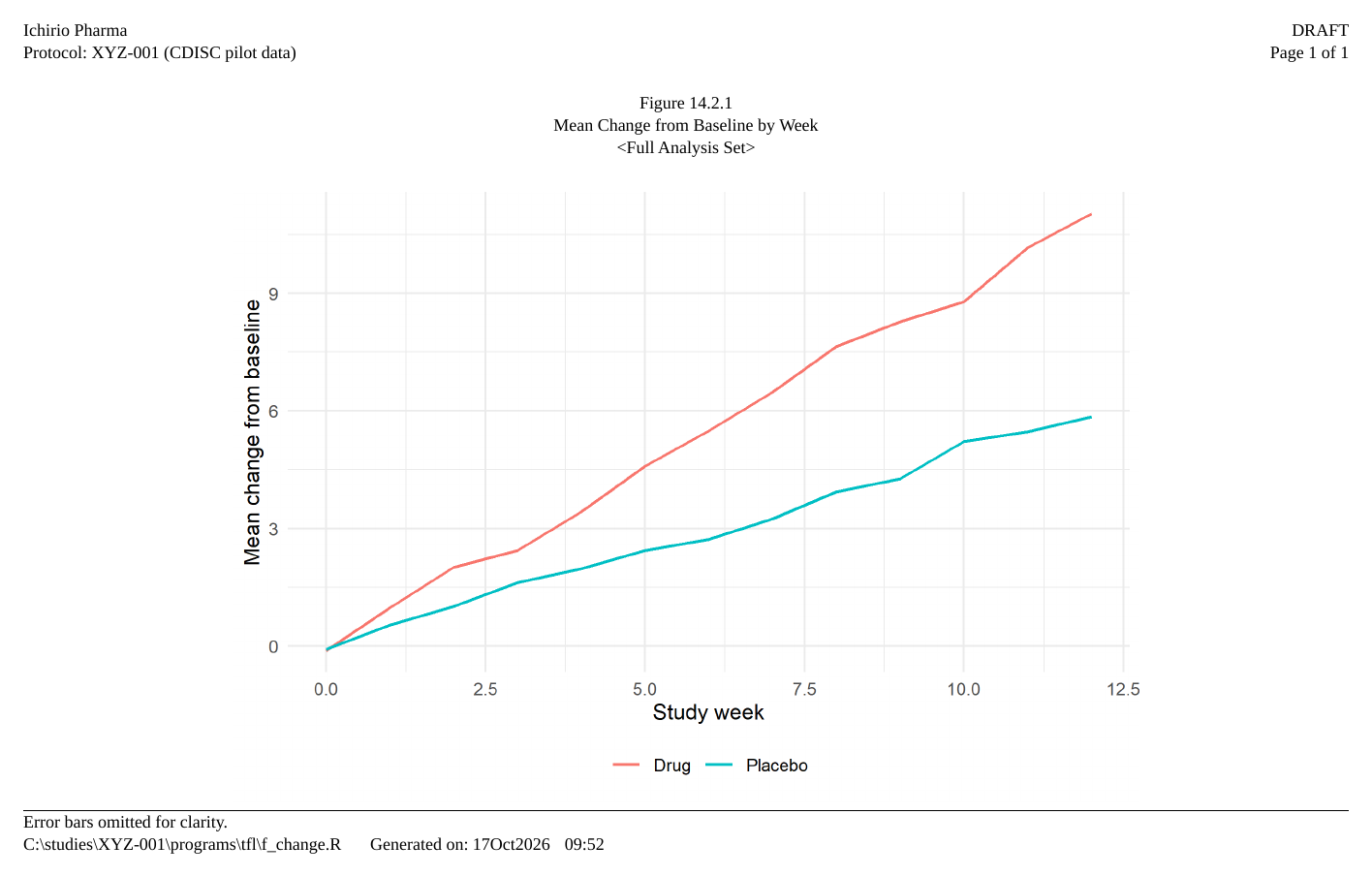
rtfplot() is the same thing one step lower down, for
when one figure in a list of several needs settings of its own:
rtfplot(p)
#> <rtfplot> PNG: file3d617d663f46.png
#>   Native size:  1950 x 1350 px  (300 x 300 dpi)
#>   Display:      6.50 in (9360 twips) wide x 4.50 in (6480 twips)
#>   Align:        center
What counts as a plot
Dispatch is by what the object can do, not by which package made it, so the list is short and open-ended:
| what you pass | how it is drawn |
|---|---|
| a ggplot2 plot, a lattice trellis object, a patchwork | printed |
a grid grob or gtable
|
grid::grid.draw() |
a base plot recorded with grDevices::recordPlot()
|
replayed |
| a function of no arguments that draws | called |
| a path to a PNG or JPEG file | read as it stands |
The function is the escape hatch, and the natural way to give base graphics – which draw as a side effect and leave no object to pass:
Show code
#> <rtfplot> PNG: file3d615aa1cc4d.png
#>   Native size:  1950 x 1350 px  (300 x 300 dpi)
#>   Display:      6.50 in (9360 twips) wide x 4.50 in (6480 twips)
#>   Align:        center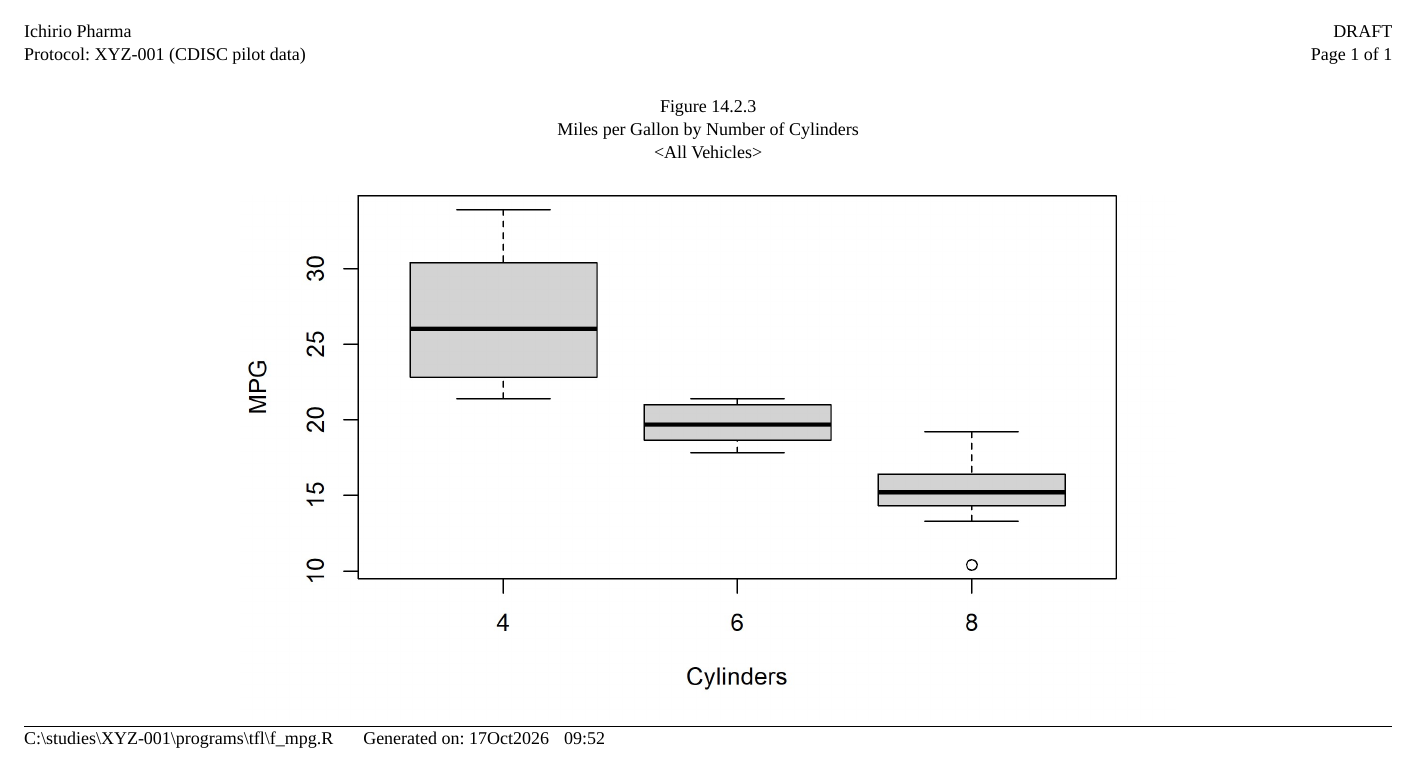
Anything a package can draw, it can draw inside that function.
Size: inches on the page, pixels in the file
Two sizes are easy to confuse, so the arguments keep them apart.
render_width / render_height
(inches) say how big the figure is on the page. They default to
6.5 x 4.5 in, which fits a portrait letter page inside one-inch
margins.
render_dpi says how sharp it is, and nothing
else. It multiplies the pixels in the file; it does not change
the inches:
Show code
sizes <- lapply(c(150, 300, 600), function(d) {
  f <- rtfplot(function() plot(1:10), render_width = 4, render_height = 3,
               render_dpi = d)
  data.frame(dpi     = d,
             pixels  = paste(f$img_width, "x", f$img_height),
             on_page = sprintf("%.1f x %.1f in", f$img_width / d,
                               f$img_height / d))
})
do.call(rbind, sizes)
#> dpi pixels on_page
#> 1 150 600 x 450 4.0 x 3.0 in
#> 2 300 1200 x 900 4.0 x 3.0 in
#> 3 600 2400 x 1800 4.0 x 3.0 inThree files of very different weight, one size on the page. Pick
render_dpi for the medium: 300 for something that will be
printed, 150 for a review copy, 600 for a figure with fine hatching.
Fitting the page
The native size is not capped to your page, because a figure’s size is a decision – a plot squeezed to fit usually reads worse than one drawn at the right size to begin with. So draw it at the size it should occupy:
Show code
# A4 landscape is 11.69 x 8.27 in; the writable width is what the margins
# leave.
writable_in <- 11.69 - 0.75 - 0.75
writable_in
#> [1] 10.19
rtfplot(p, render_width = writable_in, render_height = 4.5)
#> <rtfplot> PNG: file3d6156176848.png
#> Native size: 3057 x 1350 px (300 x 300 dpi)
#> Display: 10.19 in (14674 twips) wide x 4.50 in (6480 twips)
#> Align: centerThat figure now spans the writable width of
rtf_page(paper_size = "A4", orientation = "landscape",
         margin_left_in = 0.75, margin_right_in = 0.75)
#> <rtf_page> A4 (landscape)
#>   margins (in): top 0.75, bottom 0.75, left 0.75, right 0.75
To scale a figure you already have – a file from someone else, or a
plot you do not want to redraw – give width_twips instead.
The height follows the aspect ratio:
rtfplot(p, width_twips = as.integer(writable_in * 1440))
#> <rtfplot> PNG: file3d613f958530.png
#>   Native size:  1950 x 1350 px  (300 x 300 dpi)
#>   Display:      10.19 in (14673 twips) wide x 7.05 in (10158 twips)
#>   Align:        center
width_twips and height_twips are display
size in twips (1 in = 1440), the unit the rest of the package uses.
align puts the figure "center" (default),
"left" or "right" on the page.
From a file
The path form is unchanged, and it is what you want when the graphic comes from somewhere else – a validated output from another system, a diagram someone drew:
Show code
#> <rtfplot> PNG: file3d61b06df6b.png
#>   Native size:  2400 x 1500 px  (300 x 300 dpi)
#>   Display:      8.00 in (11520 twips) wide x 5.00 in (7200 twips)
#>   Align:        center
A file carries its own resolution, so its native size is what
the file says it is: 2400 x 1500 px at 300 dpi is 8 x 5 in.
That is read from the PNG’s pHYs chunk or the JPEG’s JFIF
density. A file recording none is assumed to be at
rtfreporter.figure.default_dpi (factory 96),
which is worth knowing when a figure comes out unexpectedly large:
rtfreporter_options()[["rtfreporter.figure.default_dpi"]]
#> [1] 96
A drawn object has no such doubt – the package drew it, so it carries
the render_dpi it was drawn at whatever the graphics device
recorded in the file.
Formats
PNG and JPEG only. RTF’s picture keywords include
\emfblip, \wmetafile, \dibitmap
and \macpict; rtfreporter emits
\pngblip and \jpegblip, and refuses the rest
rather than embedding something a viewer may not render:
svg <- tempfile(fileext = ".svg")
file.create(svg)
#> [1] TRUE
rtfplot(svg)
#> Error:
#> ! rtfplot supports PNG and JPEG files only.
For a clinical deliverable that is the right pair: PNG for anything with text or lines (lossless, and the usual choice for a plot), JPEG for a photograph. A vector format would print more sharply, but embedded EMF is not rendered the same way by every word processor, and a figure that differs between reviewers’ machines is worse than one that is 300 dpi.
A report of figures and tables
They share the page model, so a document is a sequence of content pages:
Show code
report <- rtf_document(
  program = "/studies/XYZ-001/programs/tfl/t_f_vehicles.R",
  tokens  = list(STUDY = "XYZ-001")) |>
  rtf_section(
    header = rtf_header(list(
      c(l = "Ichirio Pharma",                      r = "DRAFT"),
      c(l = "Protocol: {STUDY} (CDISC pilot data)", r = "Page {PAGE} of {TOTAL_PAGES}"))),
    footer = rtf_footer(list(
      c(l = "{PROGRAM_FULL}    Generated on: {DATETIME}")))) |>
  rtf_tables(list(head(mtcars[, 1:4], 8)),
             titles = list(c("Table 14.1.1", "Vehicle characteristics"))) |>
  rtf_figures(list(p, function() hist(mtcars$mpg, main = NULL, xlab = "MPG")),
              titles = list(c("Figure 14.2.1", "Mean change by week"),
                            c("Figure 14.2.2", "Distribution of MPG")))

out <- file.path(tempdir(), "figures.rtf")
generate_rtfreport(report, out, overwrite = TRUE)

c(pages = length(report$contents), bytes = unname(file.info(out)$size))
#> pages bytes
#> 3 281092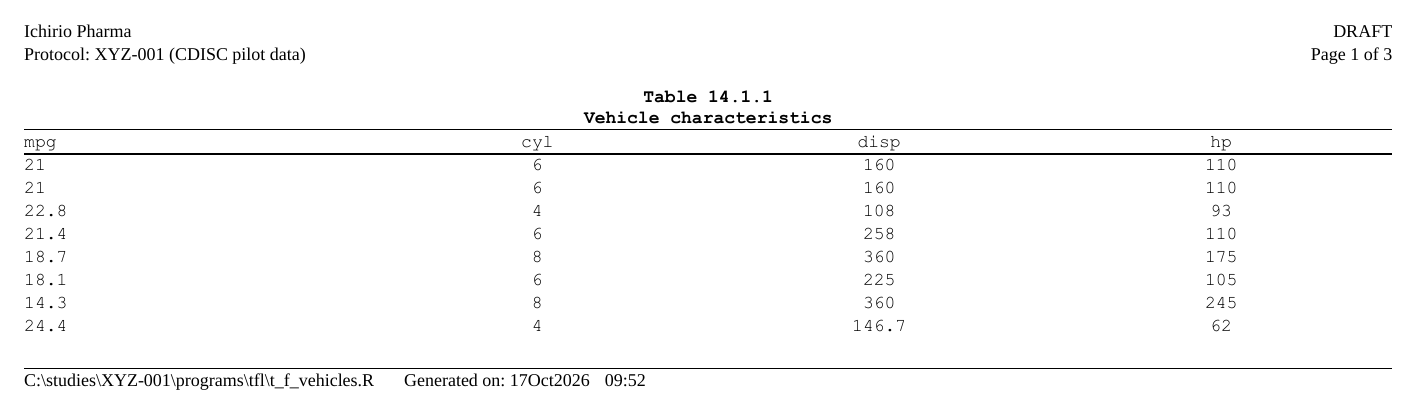
Three pages – one table, two figures – under the study’s running
header and footer, each page with its own titles. The images are
embedded in the .rtf itself, so there is no folder of files
to keep beside it, which is much of the point of the format for a
deliverable that gets emailed.
Where next
- Adding content — titles, footnotes and the page model
- Headers and footers — the running header around a figure
- Rendering & assembly — combining figure and table documents into one file
See ?rtfplot and ?rtf_figures for the full
argument reference.