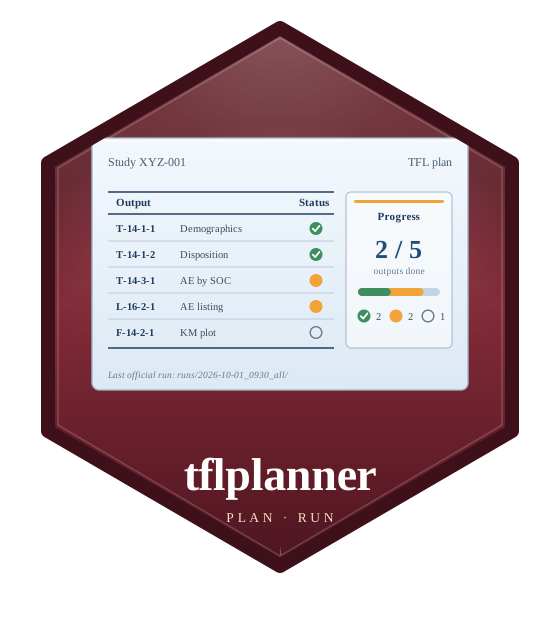
tflplanner is a ‘shiny’ study manager for clinical Tables, Listings and Figures (TFLs) made with rtfreporter. Each study is a folder of its own – input data, definitions, programs, results and the records of its official runs – and the app defines the study’s analysis results data (ARD) and reports, writes their R programs and runs them.
Reports  added on screen, or taken in from the company's TOC (xlsx / csv)
ARD      web GUI  =>  (Excel, optional)  =>  ARD programs  =>  the study ARD
         (or an ARD made elsewhere, taken in)
Tables   the study ARD, by output_id  =>  normalize, rework  =>  RTF
Listings, Figures   SDTM / ADaM  =>  report programs  =>  RTF
Your own R   a report's data or content step as R code; the report's page wraps it  =>  RTF
Official runs autoexec_*.R => runs/<date>_<time>_<what>/ (logs, results, code)- The ARD and the reports are separate steps, which different people can take at different times: a table is made from whatever of the study ARD is there.
-
The ARD on screen: any function of cards / cardx chosen from a list, its arguments in a form, analyses run together (
cards::ard_stack()), steps after the ARD (add_calculated_row()…), the study’s code lists applied before it, the company’s own ARD functions, and ARDs made elsewhere taken in, checked and compared. - Three kinds of report, each step on screen or in your own R: tables, listings and figures (a plot designer); a report’s data step and its content step are each defined on screen or written as an R program (checked against a few rules), and tflplanner adds the page, titles and footnotes.
- Company standards: every default and code list the app offers – dropdowns, presets, ARD methods and statistics, code templates, the rows a new study starts with – comes from one workbook, set up once.
- Previews and official runs: a program run on its own is a preview; an official run keeps each program’s log (logrx), what it made and the code it ran in a dated run folder.
- English (default) or Japanese.
Status: experimental. tflplanner is the GUI over tflspec (the specifications and the code written from them) and rtfreporter (the ARD and table engine and the RTF renderer); its screens and functions may change.
Concept
- The code is for people to read and finish. The programs tflplanner writes are short and plain, close to what a statistical programmer writes by hand, and easy to maintain. Typically, you build most of an analysis in the app, copy the program it writes and finish it by hand outside the app.
- The typical analyses and layouts, in a few steps. To keep the code simple, the app covers the analyses and table layouts most studies use, each set with a few simple operations, rather than every possible design.
- What the screens cannot say is written as R. A condition, a derived column, an argument, a step after the ARD – or a whole user-code report – is kept in the spec as R code, and the programs put it where it belongs.
- Shared parts are defined once. The header, footer, page style and the study’s information (company name, analysis type, protocol ID, …) are set once and reused; each report’s program carries only its own values.
- Screens => spec => code. The app writes the spec (which can also be edited directly), and the programs are written from the spec; a generated program is not edited inside the tool.
Installation
Once, at the R console (rtfreporter and tflspec come with it):
install.packages("remotes")
remotes::install_github("ichirio/tflplanner")
Without access to GitHub, install the three package files you were given, in this order:
install.packages(c("rtfreporter_0.8.2.tar.gz", "tflspec_0.0.24.tar.gz",
                   "tflplanner_0.0.2.tar.gz"), repos = NULL, type = "source")
R 4.1 or later; analyses that use cardx (e.g. t-tests, confidence intervals) need R 4.2 or later.
Getting started
tflplanner::setup_tflplanner()asks, step by step, for the three things done at the console – where tflplanner keeps its studies (its home), the packages its programs use, and a shortcut that starts it with a double click (Windows: desktop and Start menu; macOS: ~/Applications; Linux: the applications menu). Everything else is done in the app. Without a shortcut, start it with launch_app() (in its own R process; also the RStudio add-in Launch tflplanner) or run_app().
tflplanner never updates itself or anything else on its own. To update rtfreporter, tflspec and tflplanner, close the app and run
tflplanner::update_tflplanner()          # the released versions
tflplanner::update_tflplanner("dev")     # the development versions
tflplanner::update_tflplanner(from = "D:/packages")   # from package files
or start it from the shortcut tflplanner (update and launch), made only when asked for: add_shortcut(update = TRUE). The app can say when a newer version is out (it looks when it starts): off by default, turned on in its settings.
The same steps as code, for scripts:
library(tflplanner)
setup_tflplanner(studies_root = "C:/studies",          # once; with the
                 sample = TRUE)                        #   sample study
standards_template("company_standards.xlsx")           # the draft to edit
setup_tflplanner(standards = "company_standards.xlsx") # your standards
add_shortcut(ask = FALSE)
run_app()
sample = TRUE (or create_sample_study(), or Add the sample study in the app’s settings) copies the sample study SAMPLE-01 into the studies folder and makes it: the simulated oncology study XYZ-ONC-01 of tflspec (Drug X vs Control: its ADSL with the screen failures, ADAE, ADVS and ADTTE), one study ARD, tables, a listing, two designed figures and two whose content is their own R code – a study to try everything on.
A guide in Japanese (provisional): tflplanner 利用ガイド(日本語).
Citation
If tflplanner helps your work, please cite it with citation("tflplanner"). The statistics of its tables come from cards and cardx; please cite those too (citation("cards"), citation("cardx")).
Acknowledgments
tflplanner stands on the work of many others, and we are grateful to their authors.
- cards and cardx: every ARD program the app writes calls them; the analysis results data are their design, an outcome of the pharmaverse community’s work on analysis results data.
- shiny, bslib, DT, rhandsontable and sortable: the app’s screens.
- logrx: the log of every program of an official run.
tflplanner is an independent project and is not affiliated with, or endorsed by, the authors of these packages.
License
Apache License 2.0. See LICENSE.md.